On this page
Choose letters by mood
Artists rarely start with a font name. You start with a feeling. Pick the mood of your piece and we will open the styles that fit it.
How to use the fancy font generator
Every style on this page is made of real Unicode characters, not an installed font. That is why your letters stay beautiful after you paste them.
- Write your words in the paper box at the top. Every style updates as you type.
- Tap a style you love. It copies itself and a little red stamp says so.
- Paste it anywhere: an Instagram caption, a Discord name, a Procreate text layer or a game nickname.
The quiet extras
- Mix styles gives every letter a different alphabet. Tap ↻ for a new mix.
- Frames wrap all results at once in ꧁༺ ༻꧂, ✿, ☾ ☽ and more.
- Size and ink only change the preview, so you can study the details.
- Save as PNG exports the last style you copied on a transparent background.
How artists use Unicode letters
Fancy letters are not just for bios. Here is where creators put them to work.
| Where | What it is good for | Small tip |
|---|---|---|
| Instagram and Threads | Captions, art series titles, bio name | Keep hashtags in plain text |
| Procreate, Canva, Photoshop | Quick type layers over your artwork | Use a font with wide symbol support |
| Discord and Twitch | Channel names, roles, stream titles | Avoid heavy glitch in names |
| Wallpapers and posters | Quotes and short phrases | Build them in the Lettering Studio |
| Portfolio sites | Section dividers and signatures | One style per page feels calmer |
How to match a letter style to your artwork
Letters carry a mood, just like color. Use this table as a starting palette.
| Your artwork | Try this style | Example |
|---|---|---|
| Watercolor and florals | Bold Script | 𝓢𝓹𝓻𝓲𝓷𝓰 𝓫𝓵𝓸𝓸𝓶 |
| Dark fantasy, tattoo flash | Bold Blackletter | 𝕹𝖎𝖌𝖍𝖙 𝕸𝖔𝖙𝖍 |
| Minimal line art | Small Caps | ʟɪɴᴇ ᴀʀᴛ |
| Pixel art, retro games | Typewriter | 𝚂𝚃𝙰𝙶𝙴 𝟸 |
| Vaporwave, lo-fi | Vaporwave Wide | sunset |
| Cute chibi, kawaii | White Bubble | ⓢⓦⓔⓔⓣ |
Tap any of these to copy them:
Turn your words into a finished piece
Choose a style, a paper, a palette and a canvas size. Download a full-size PNG for your feed, your phone or your wall. No watermark, ever.
Open the studio
How fancy letters work, in one minute
Your keyboard types a small set of letters. The Unicode standard holds more than 150,000 characters, including whole alphabets that look like bold, italic, script and gothic type. Our generator swaps each letter you type for its twin in those alphabets.
So the app you paste into does not need your font. It only needs to display the character. The full story lives in how Unicode fonts work.
How to keep your words readable and kind
- Keep the important part plain. Your name, links and contact details should stay in normal text.
- Style a word, not a paragraph. Screen readers spell out or skip fancy characters.
- Test before you post. Paste into a note on your phone. Empty boxes (☐) mean that device lacks the glyph.
- Accents are safe here. é, ñ, ü and ç are kept as marks above the styled letter.
Read the gentle guide to fancy text and accessibility before styling a whole bio.
Popular corners of the studio
 Cursive FontsBold script, classic script, italic.
 Aesthetic FontsSoft, vaporwave and dreamy frames.
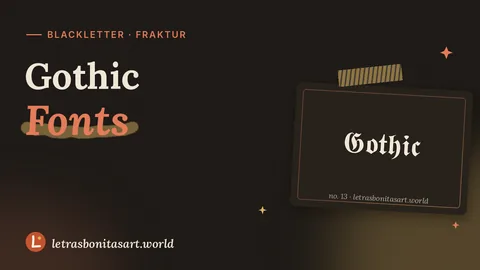 Gothic FontsFraktur blackletter for dark art.
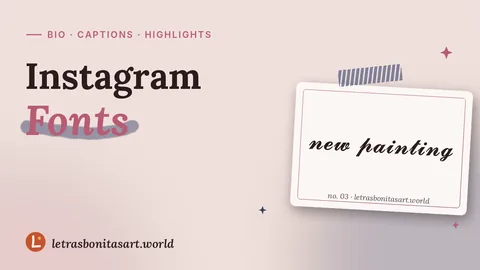 Instagram FontsBio, name, captions and highlights.
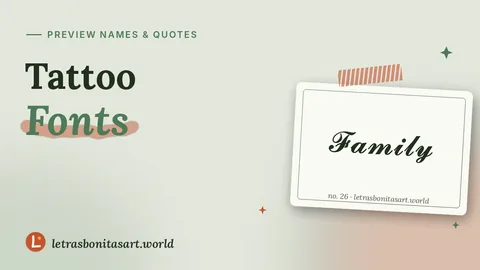 Tattoo FontsPreview names and quotes before inking.
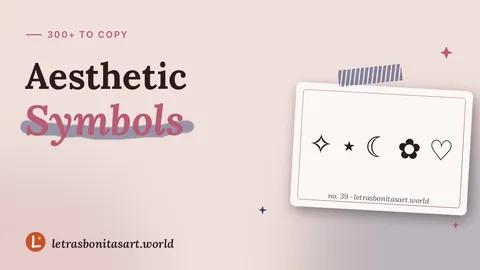 Aesthetic SymbolsStars, moons, flowers and dividers.
 Free Fire Names300+ nicknames sorted by theme.Lettering StudioCompose text art and download a PNG.
Questions artists ask
Is this font generator free?
Yes. Every tool on letrasbonitasart.world is free, needs no account and adds no watermark to anything you make.
Why do some letters show up as boxes?
The device reading your text does not have a drawing for that character. Bold, italic and script styles show up almost everywhere; rarer alphabets may not.
Can I use these letters in Procreate or Canva?
Usually, yes. Paste them into a text layer. If you see boxes, switch the layer to a font with wide Unicode coverage. Our guide on Unicode in art apps shows how.
Does the ink color copy with the text?
No. Plain text has no color. To keep the color, use Save as PNG or build a full piece in the Lettering Studio.
Do accents and other languages work?
Yes. Accented letters like é, ñ and ç keep their marks. Letters outside A to Z stay as they are.
Do you store what I type?
No. Everything runs in your browser. Favorites and theme are saved only on your own device.

Founder and editor of Letras Bonitas Art. Builds the tools and writes the guides on this site for artists who letter on screens. How we review our pages.